
Re-Shipping An Order
- Go to app.shiphero.com > Orders > Manage Orders and select the order you need to reship
- On the order details page, navigate to the 'Actions' and select 'Re-Ship'
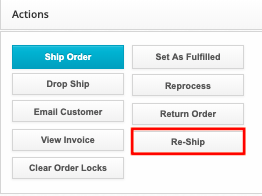
- A new window appears - select the items you want to ship again by clicking the "Select" checkbox on the left side. Click "Reship.
